Best Free Educational Apps for Toddlers in 2024 (Ages 1–5, Tested by Parents)
ℹ️ How we chose these apps
We evaluated each app against 5 criteria: age-appropriateness, actual learning value (not just entertainment), no manipulative monetisation targeting children, safety and privacy (no third-party ads, no data collection from children), and real parent and child engagement over multiple sessions.
What makes an educational app actually educational?
Not all screen time is equal. The difference between a genuinely educational app and an entertaining distraction comes down to a few key factors:
| Feature | What to look for | Red flag |
|---|---|---|
| Active vs passive | Child makes choices, responds, interacts | Child mostly watches animations |
| Feedback quality | Specific, encouraging, educational feedback | Only "yay!" regardless of answer |
| Difficulty progression | Adapts to child's level, gets harder as skills improve | Same difficulty forever |
| Monetisation | Clear upfront pricing or genuinely free core content | Ads within gameplay, pressure to buy |
| Session length | Natural stopping points, no infinite scroll | Designed to maximise time at all costs |
Active vs passive
What to look for
Child makes choices, responds, interacts
Red flag
Child mostly watches animations
Feedback quality
What to look for
Specific, encouraging, educational feedback
Red flag
Only "yay!" regardless of answer
Difficulty progression
What to look for
Adapts to child's level, gets harder as skills improve
Red flag
Same difficulty forever
Monetisation
What to look for
Clear upfront pricing or genuinely free core content
Red flag
Ads within gameplay, pressure to buy
Session length
What to look for
Natural stopping points, no infinite scroll
Red flag
Designed to maximise time at all costs
Screen time guidelines for toddlers
Before diving in, here's the official guidance — even the best app should be used within these limits:
⚠️ Important
Educational app time counts toward the daily screen time limit. The best strategy is short, focused sessions with parental involvement — asking your child what they just learned, playing alongside them, and using the app as a springboard for real-world conversation.
The best free educational apps for toddlers in 2024
MIO stands out because it was designed with certified speech-language therapists, not just inspired by them. The core mechanic — facial movement recognition and sound repetition — turns clinical speech exercises into something children actually want to do again and again. With over 10 million downloads and a 4.8-star rating, it's the most trusted speech development app for young children. It also covers alphabet, animal sounds, puzzles, and mini-cartoons — making it a comprehensive early learning platform.
- ✓Developed with real speech therapists
- ✓Works for speech delay, autism, and typical development
- ✓Genuinely free core content — no ads in gameplay
- ✓Available in English and Ukrainian
- ✓100+ levels with clear progression
- ✓Children ask to play it — not just tolerate it
- ·Some advanced levels require subscription
- ·Best used with parental involvement for younger children
- ·Requires camera/microphone for some exercises
Khan Academy Kids is one of the most comprehensive free educational apps available — covering reading, maths, social-emotional learning, and creative activities. The curriculum is solid and genuinely free with no ads. Best for parents who want a broad early learning curriculum.
- ✓100% free, no in-app purchases or ads
- ✓Covers maths, reading, and social skills
- ✓Age-appropriate difficulty progression
- ✓Offline mode available
- ·English only
- ·Less focused on speech development
- ·Some content may feel too "school-like" for very young toddlers
From the makers of Duolingo, this app teaches phonics and early reading through short, game-like lessons. Letter sounds before letter names, systematic phonics progression, and beautiful design. One of the best free phonics apps for 3–6 year olds who are ready to start reading.
- ✓Excellent phonics methodology
- ✓Beautiful, engaging design
- ✓No ads, completely free
- ✓Short lessons (3–5 min) ideal for toddlers
- ·English only
- ·Less suitable under age 3
- ·Focused on reading, not broader development
Toca Boca apps are open-ended digital toys that encourage creativity, storytelling, and imaginative play. There are no "right answers" and no scores. Children use them to tell stories, experiment, and create. The learning is indirect but real — language development, problem-solving, and creativity all flourish through open play.
- ✓Encourages creativity and storytelling
- ✓No pressure, no scores, no failing
- ✓Safe, child-friendly design
- ✓Excellent for encouraging language through play
- ·Core apps are paid (£2.99–£4.99)
- ·Less structured learning
- ·Some parents find them too open-ended
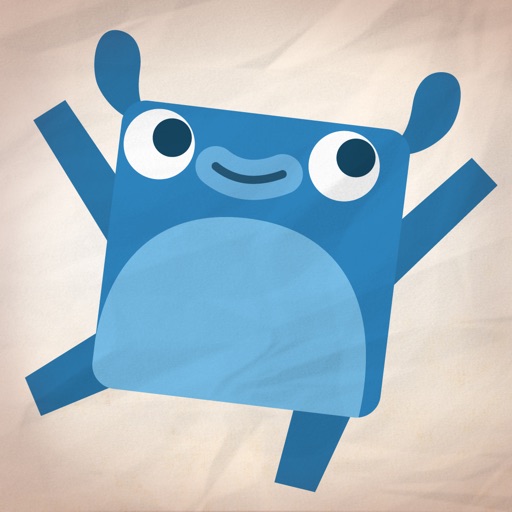
Endless Alphabet teaches vocabulary through beautiful animations, puzzles, and silly monster characters. Each word gets an animated explanation of its meaning — children learn words like "enormous", "peculiar", and "vibrant" through engaging cartoons. The subscription model gives access to the full library, but the free version includes a generous selection.
- ✓Builds sophisticated vocabulary
- ✓Genuinely entertaining animations
- ✓Word puzzle mechanic reinforces spelling
- ✓Children request to use it voluntarily
- ·Full library requires subscription
- ·More vocabulary than phonics focus
- ·English only
MIO — Speech games for kids
Developed with certified speech therapists, MIO turns tongue exercises, sound recognition, and word repetition into fun interactive games for children aged 1–7.
Download on App StoreHow to get the most from educational apps
Co-play when possible
Sitting with your child and asking "what was that?" multiplies the learning value significantly.
Set a natural stopping point
Say "we'll play for 15 minutes, then go outside" before starting. This avoids battles when screen time ends.
Connect to the real world
After an animal sounds session: "We just heard a duck — do you remember what sound it made?"
Rotate apps
Variety prevents habituation. Use 2–3 apps in rotation rather than one continuously.
Watch for passive drift
If your child has stopped responding and is just watching — it's time to switch off.
✓ Bottom line
The best educational app is the one your child engages with actively and asks to return to. Start with MIO for speech and language, Khan Academy Kids for broad curriculum, and Duolingo ABC when your child is ready to start reading. Keep sessions short, stay involved, and connect what they learn to the world around them.
Frequently asked questions
More from the MIO blog
Child not talking at 2
Signs, causes & exercises
10 speech exercises at home
For ages 1–5
How to teach the alphabet
7 methods that work
Signs of autism under 2
Early detection checklist
MIO Editorial Team
Tested with parents of children aged 1–5. App ratings accurate as of July 2024. We may update this list as new apps launch or existing ones change.